Put your agents in motion.
Run Codex, Cursor, Devin and more from one desktop app. Bring your own subscriptions. Free and open source. Add hosted Sync & Mesh for £8.99/mo, or self-host it for free.
The Mac build is unsigned, so follow the install guide. Builds for Windows and Linux are on GitHub. Mezair is pronounced may-ZAIR.
Bring your own account
- Codex
- Cursor
- Devin
- OpenAI
- Azure OpenAI
- LLMGateway
What you can ask it to do
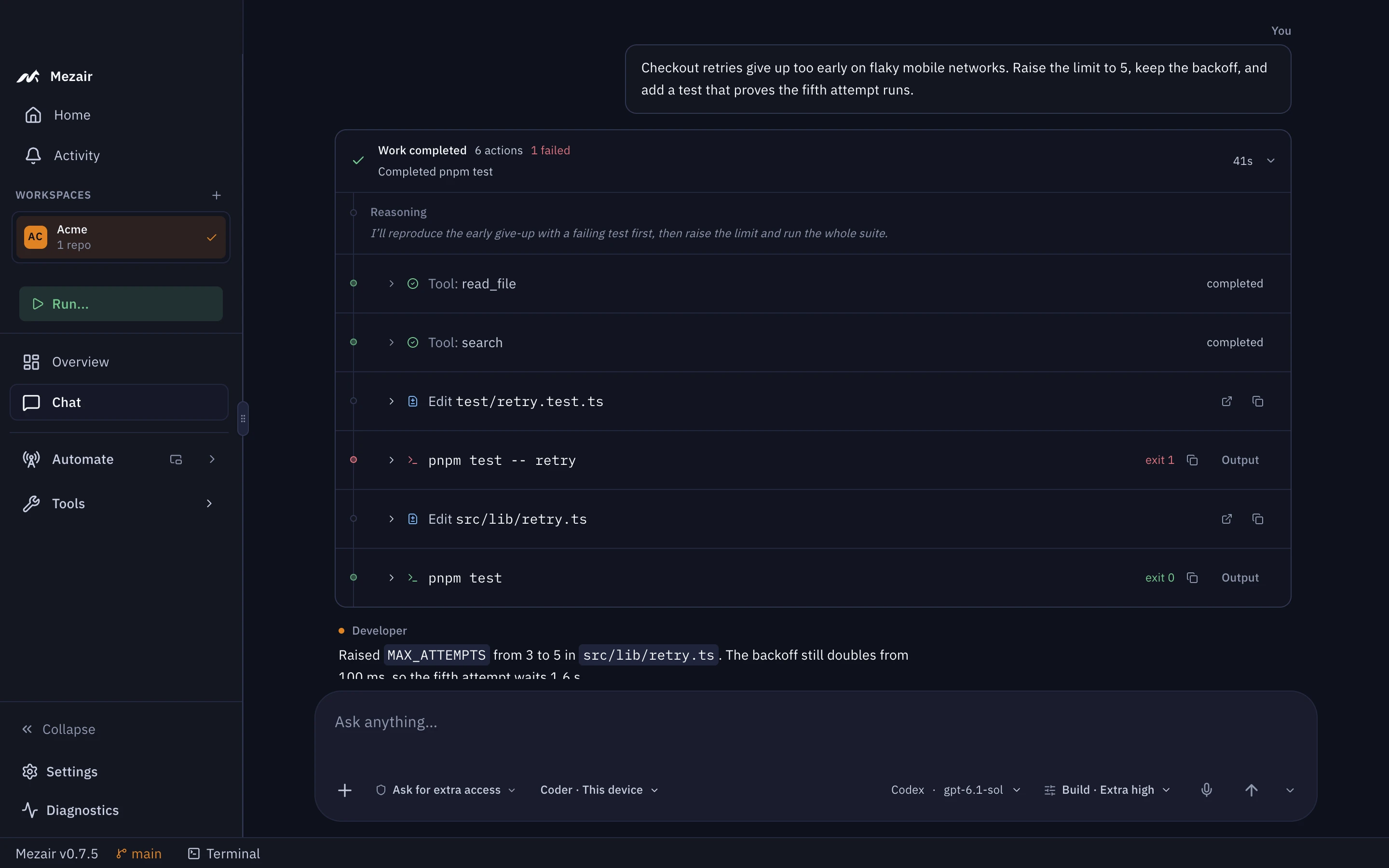
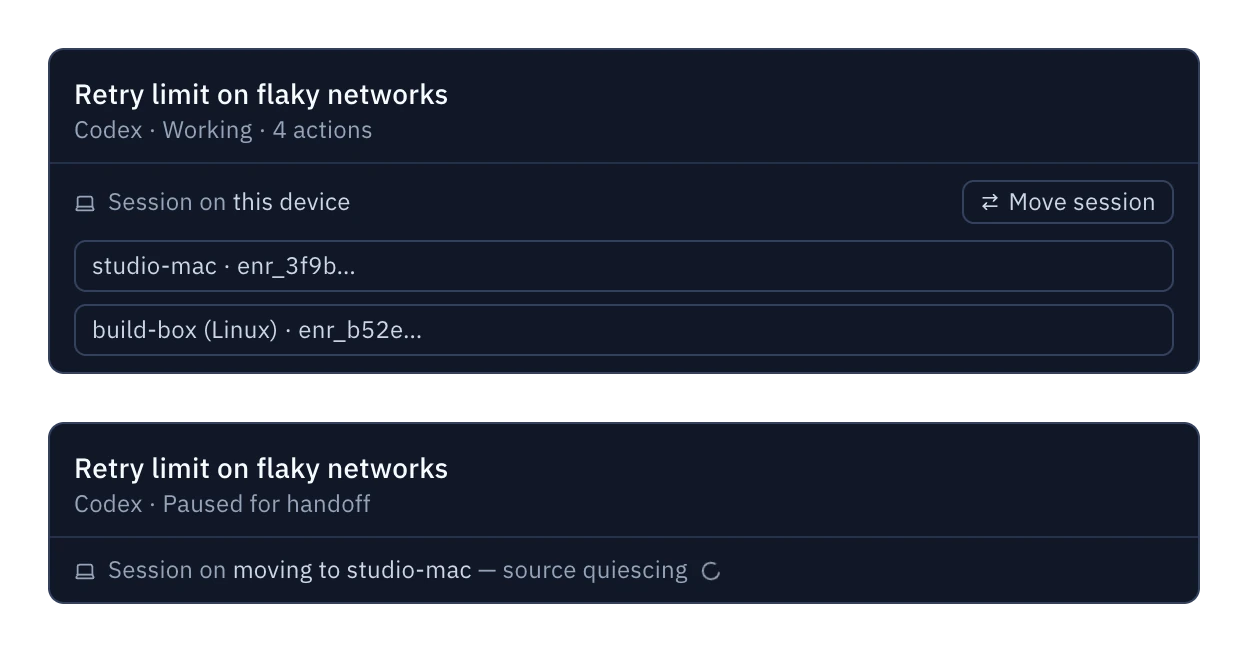
Fix a bug while you work on something else
Describe it. The agent writes a failing test, fixes the bug and runs the suite.
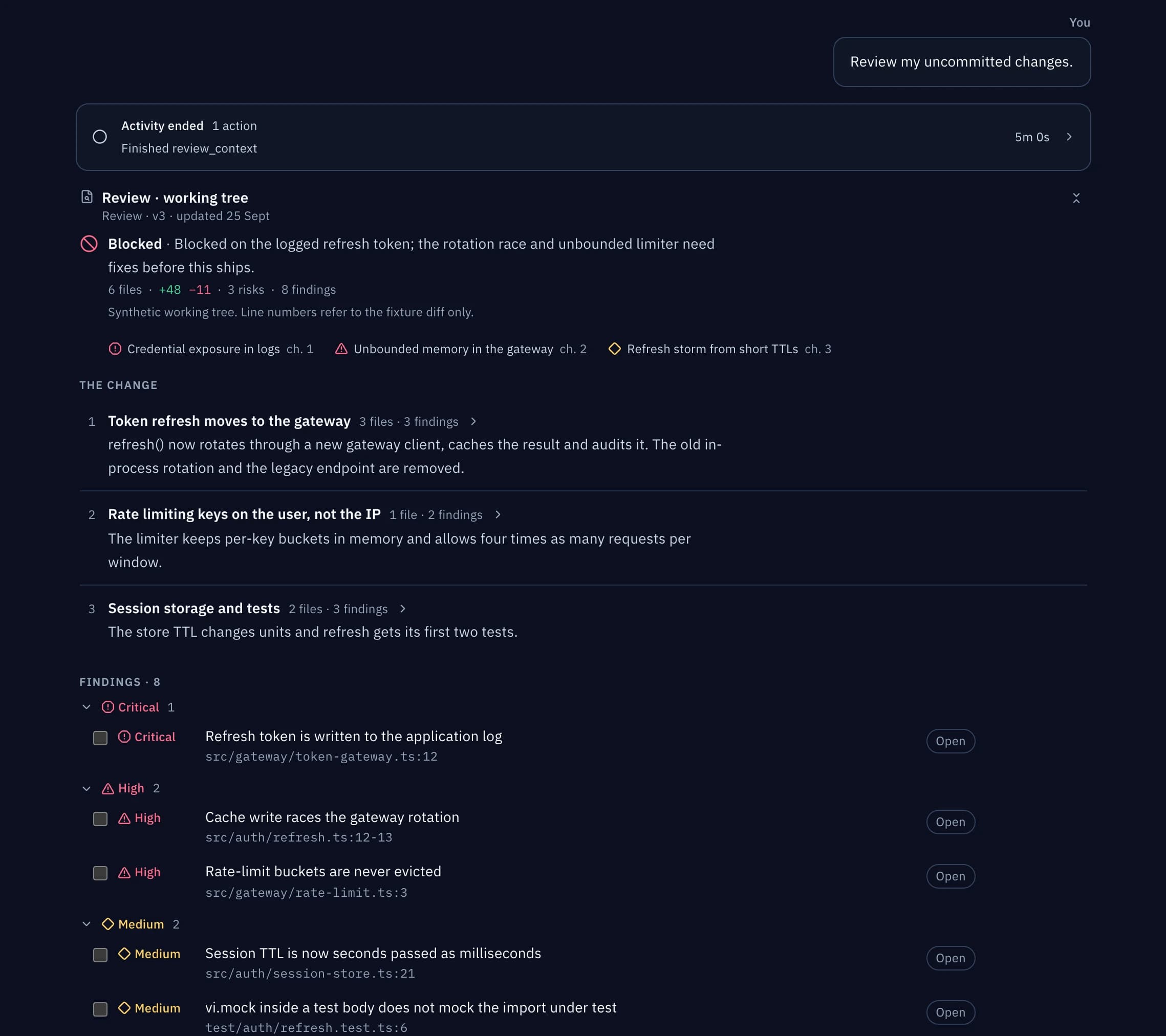
Review your changes before you commit
Get a review in the thread, with findings you can send straight back to the agent.
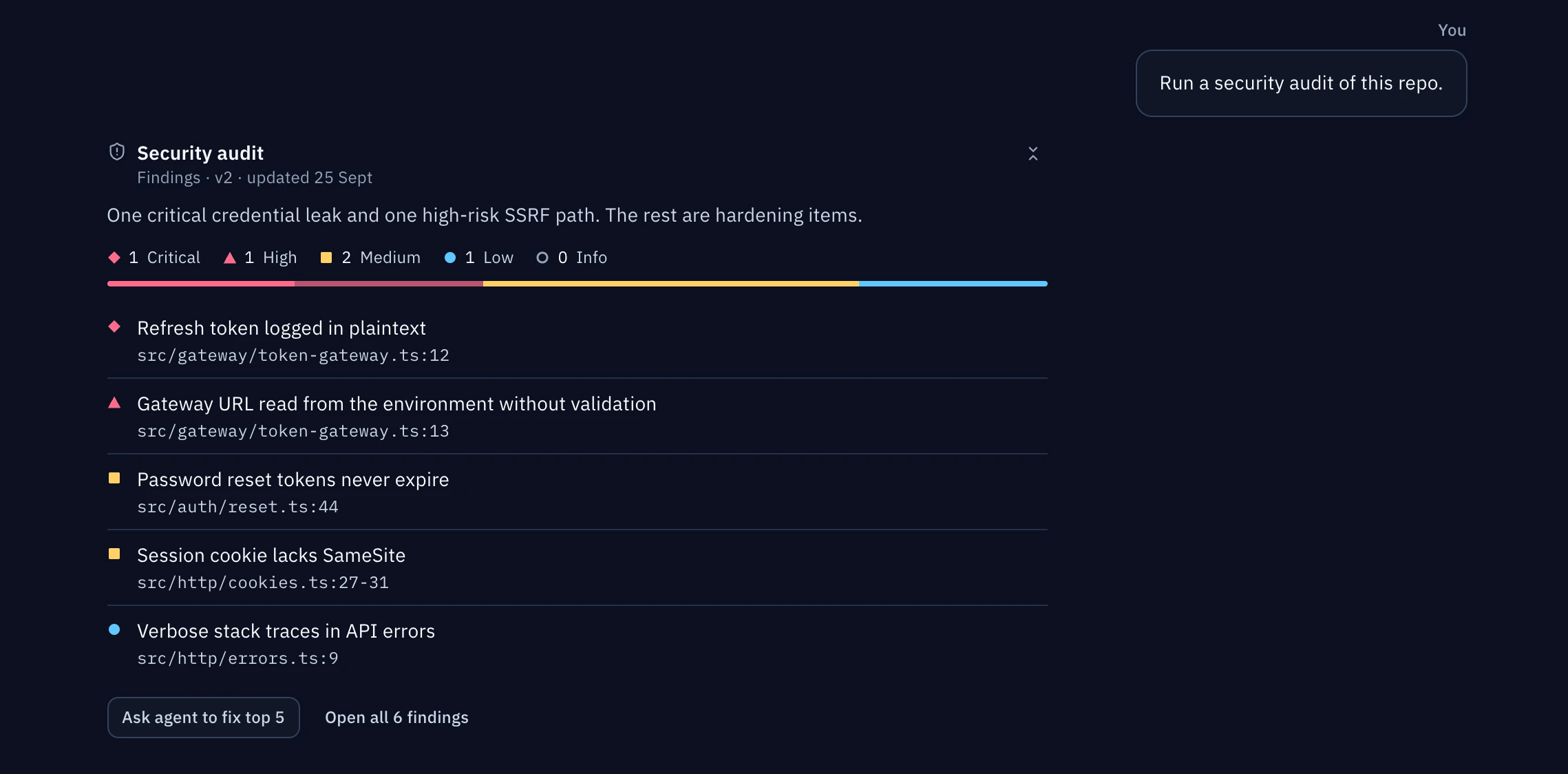
Audit a repository you're new to
Security and dependency issues, each with a file and line.
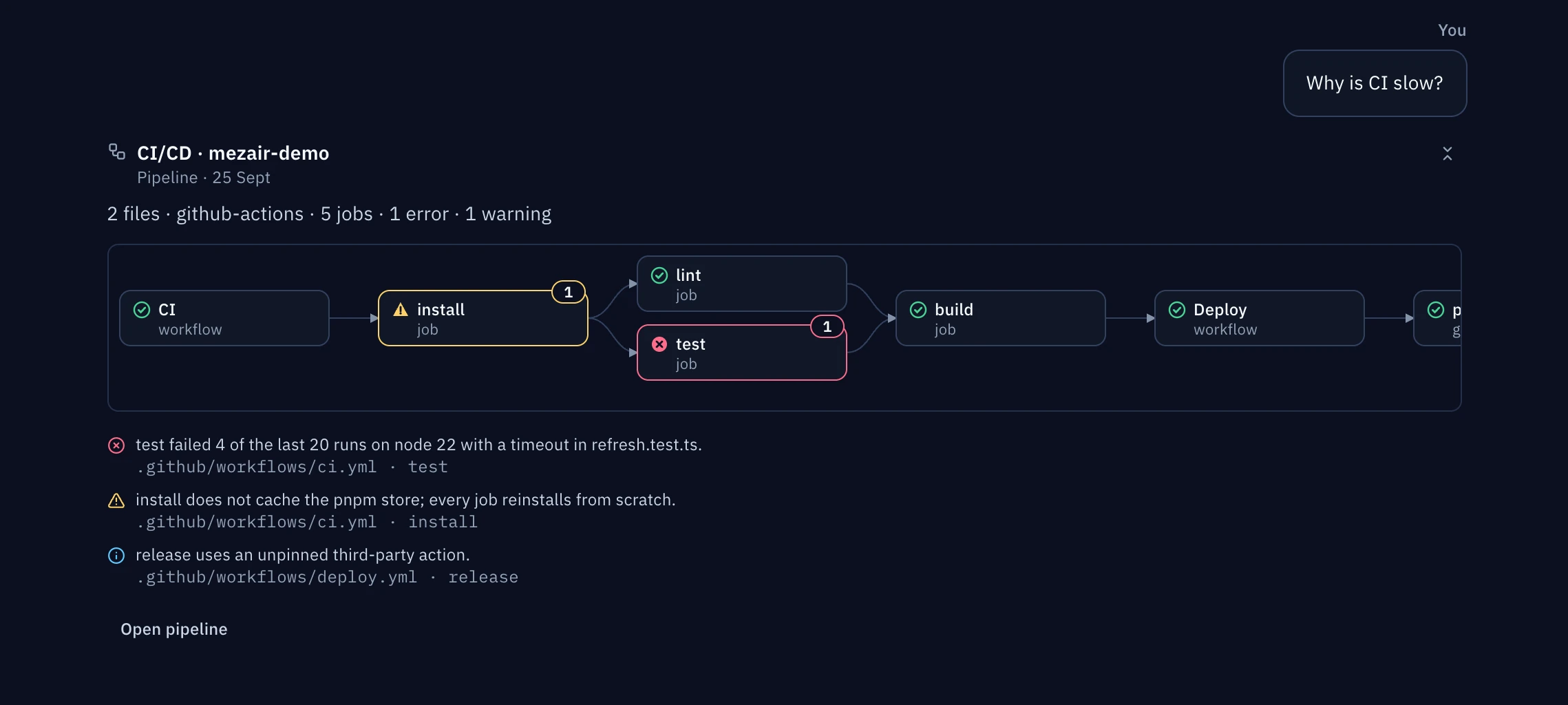
Find out why CI is slow
See the pipeline as a graph, with the slow and failing steps marked.
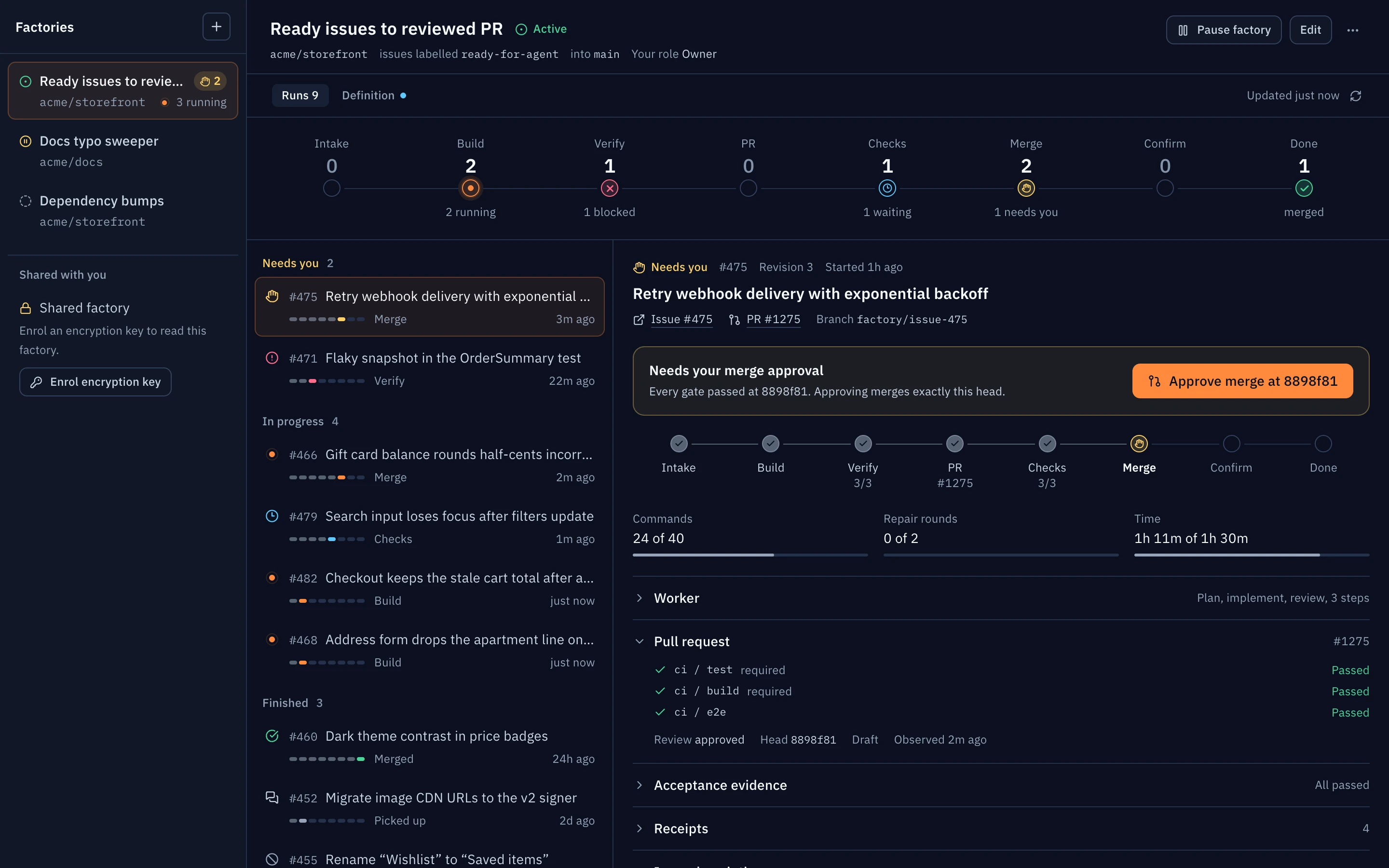
Turn labelled issues into merged pull requests
A software factory works through labelled GitHub issues and stops for approval where you want it to.
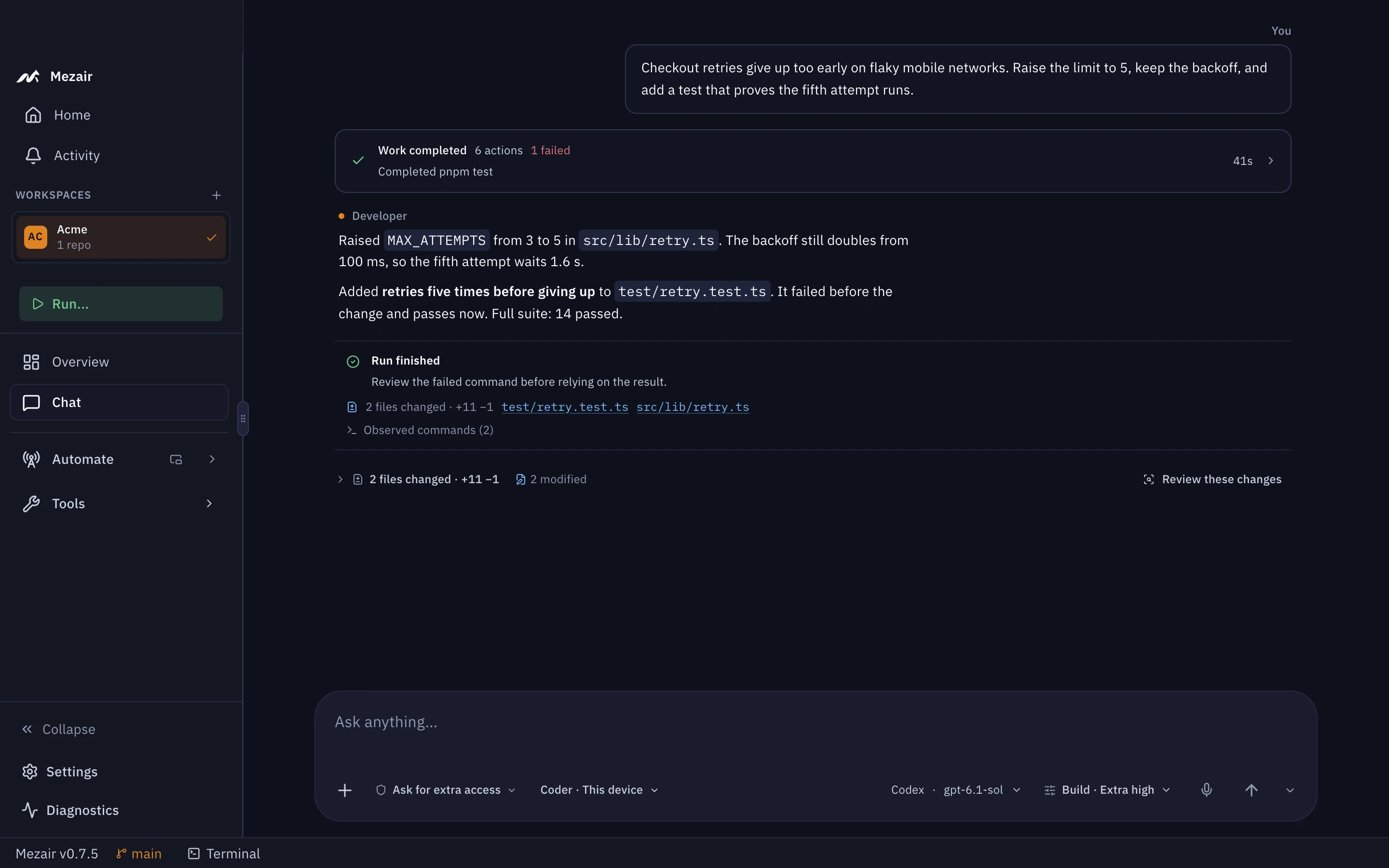
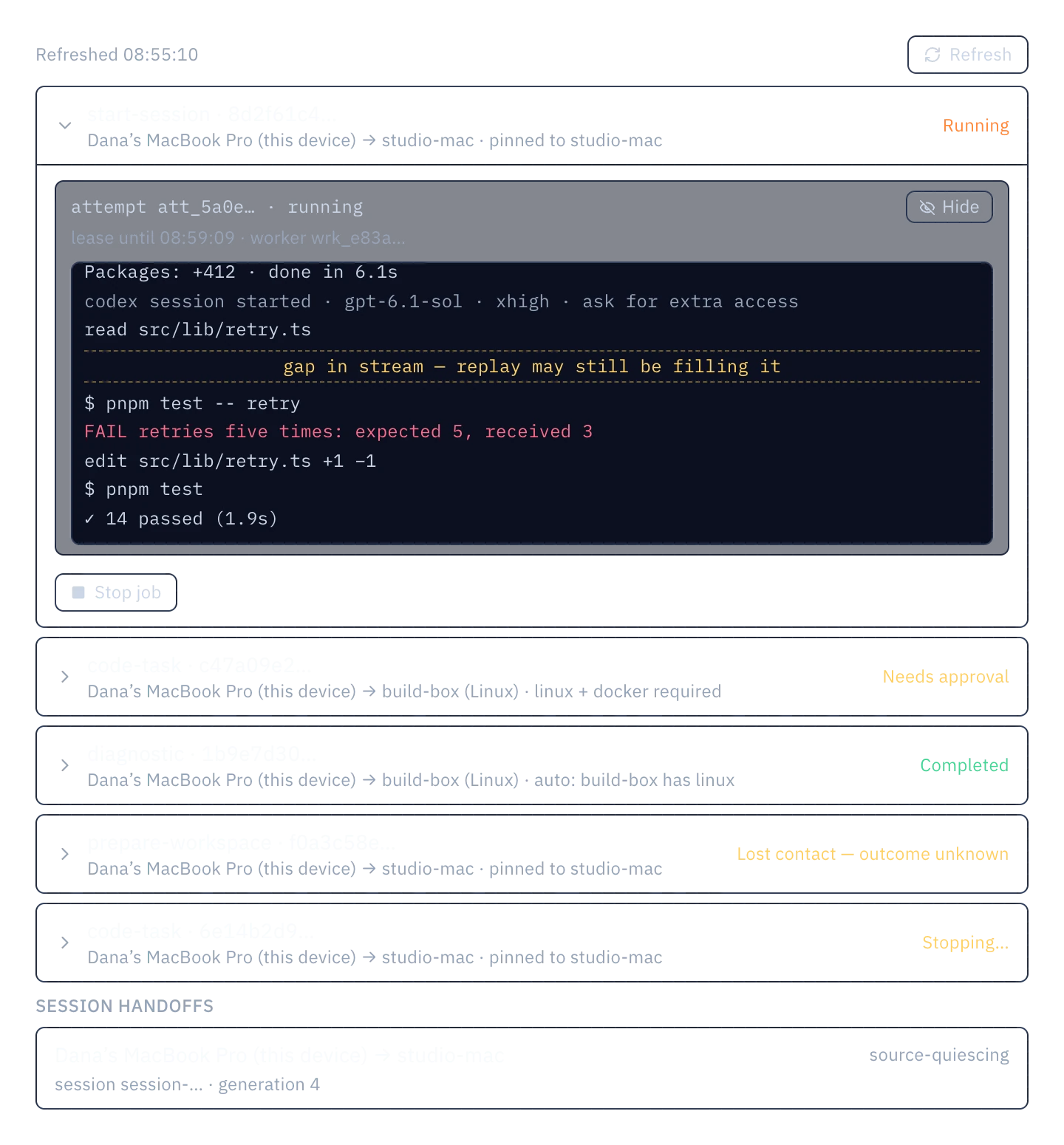
Run a job on another of your machines
Send a job to your desktop or a server. It runs there and streams back.
Use Mezair on more than one machine
Sync keeps your setup the same on every machine, end-to-end encrypted. Mesh runs jobs across them and moves sessions between them.
Free to self-host, £8.99 a month hosted. Hosting is invite-only until 30 November 2026.
Sync: Dana's MacBook saves an edit to the Acme workspace and encrypts it with AES-256-GCM and the account key. The Sync backend stores the ciphertext and can read only metadata. studio-mac and build-box download the change and decrypt it.
- Saved locally
- Encrypted on the device
- Stored as ciphertext
- Pulled by your devices
- Decrypted and applied
The devices and commits are examples. The states and their order match the app's protocol.
What else is in the app
- Agents
- Codex, Cursor, Devin, OpenAI, Azure OpenAI, LLMGateway.Your own accounts. Providers bill you directly.
- Git
- Commit, open a pull request or undo a turn from the thread.Background work runs in its own worktree.
- Review
- Diffs, test results and security, dependency and pipeline checks appear in the thread.
- Plans
- Work items with acceptance criteria, risks and follow-ups attached.
- Automations
- Scheduled checks and multi-agent workflows, each in its own working copy.
- Software factories
- Labelled GitHub issue to confirmed merge, under a policy you activate.Beta through 30 November 2026.
- Companions
- Approve a step or reply from iPhone, Apple Watch, Raycast or the menu bar.
Keyboard shortcuts and developer tools
Works with your editor, terminal and Git.
- Agent tools
- Agents can ask you questions and post reviews and diagrams in the thread.
- No account
- Everything stays in a local database. Crash reporting is off by default.
- Custom shortcuts
- Rebind any shortcut in Settings.
- Source code
- The app, the backend and this site are MIT-licensed on GitHub.
- Command palette
- ⌘K
- New chat thread
- ⌘⇧N
- Toggle terminal
- ⌘`
- Guide a running agent
- ⌘↵
- Commands in the composer
- /
- Skills in the composer
- $
Other Mezair tools
Open source, and none of them need Desktop.
RegistryBeta
An npm gateway that checks packages before they reach you.
npm config set registry http://localhost:4873Node BaseBeta
A Node container for installing code you don't trust yet.
mezair-npm-ci-safeCloudBeta
Build an app backend in TypeScript, then choose where it runs.
mezair-cloud check --json
The source is on GitHub
One MIT-licensed repo for everything.
# clone the monorepo
$ git clone https://github.com/anthonyhumphreys/mezair
$ cd mezair
$ node .github/scripts/prepare-desktop-clis.mjs
$ cd mezair-app

# each project installs on its own
$ pnpm install
$ pnpm dev