Use Mezair on all your machines
Sync copies your Mezair setup between machines and encrypts it on your device first. Mesh sends jobs between those machines and can move a running session.
Self-hosted backend: free. You pay your infrastructure provider. Mezair-hosted backend: paid. Plans are proposed from £6 a month after beta. Compare plans.
Invite-only beta through 30 November 2026. Requesting access is not a purchase. Redeem your code or check beta status.
Sync: Dana's MacBook saves an edit to the Acme workspace and encrypts it with AES-256-GCM and the account key. The Sync backend stores the ciphertext and can read only metadata. studio-mac and build-box download the change and decrypt it.
- Saved locally
- Encrypted on the device
- Stored as ciphertext
- Pulled by your devices
- Decrypted and applied
The devices and commits are examples. The states and their order match the app's protocol.
What syncs and what stays local
Every workspace starts local. Nothing syncs until you turn it on for that workspace.
Syncs, encrypted
- Workspace setups, including repositories, agents and rules
- Workflow templates and custom agents
- Settings you choose to share
Not included in workspace Sync
- Repository files
- API keys and provider logins
- Chat transcripts
- Paths on your machine
Key rotation and how a new device gets the key are in encryption and keys.
Manage your devices
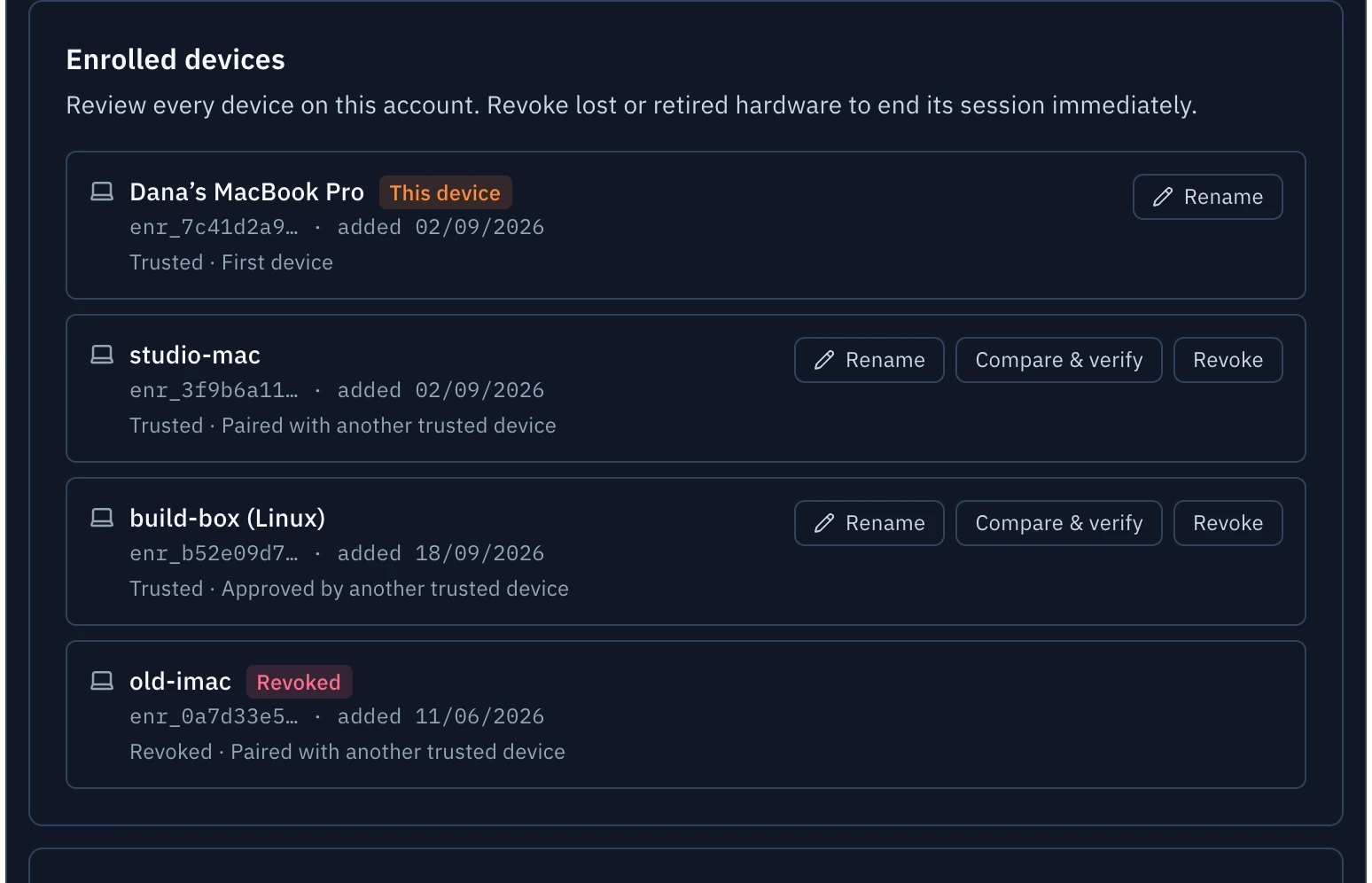
Settings lists each enrolled machine and how it became trusted. You can compare a code to verify a device or revoke a lost one. Revoking from the app also rotates the account key.
Each machine has its own setting for running jobs and its own limit on what those jobs may do.
Devices and sign-in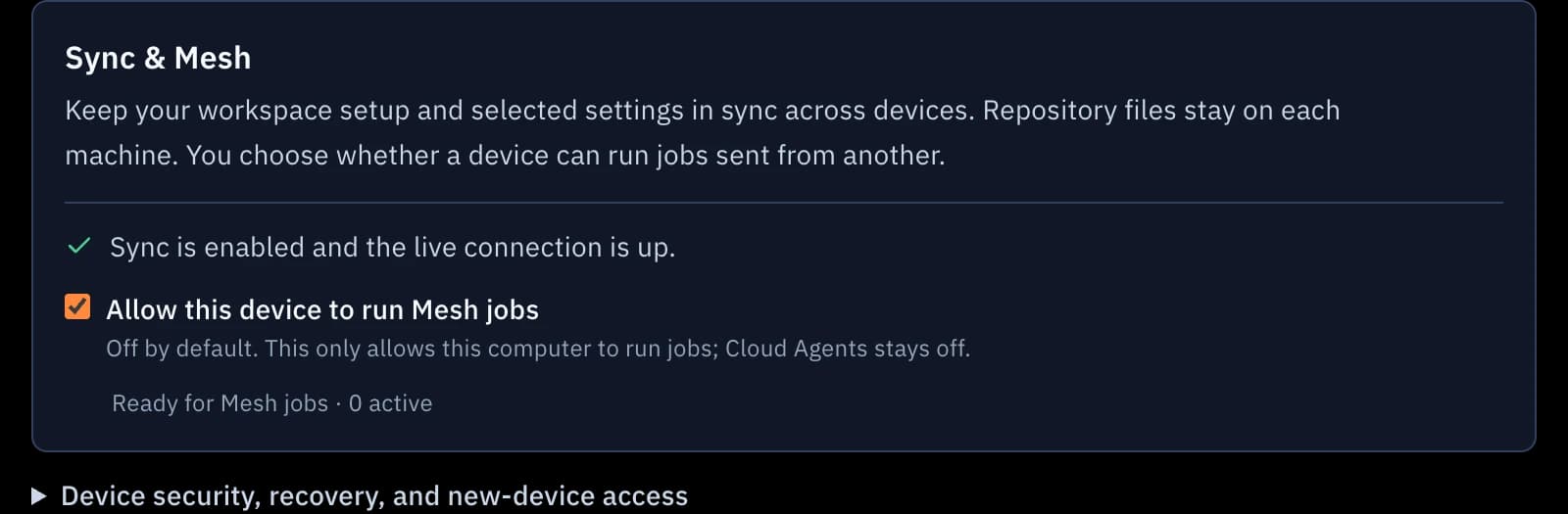
Run jobs on another machine
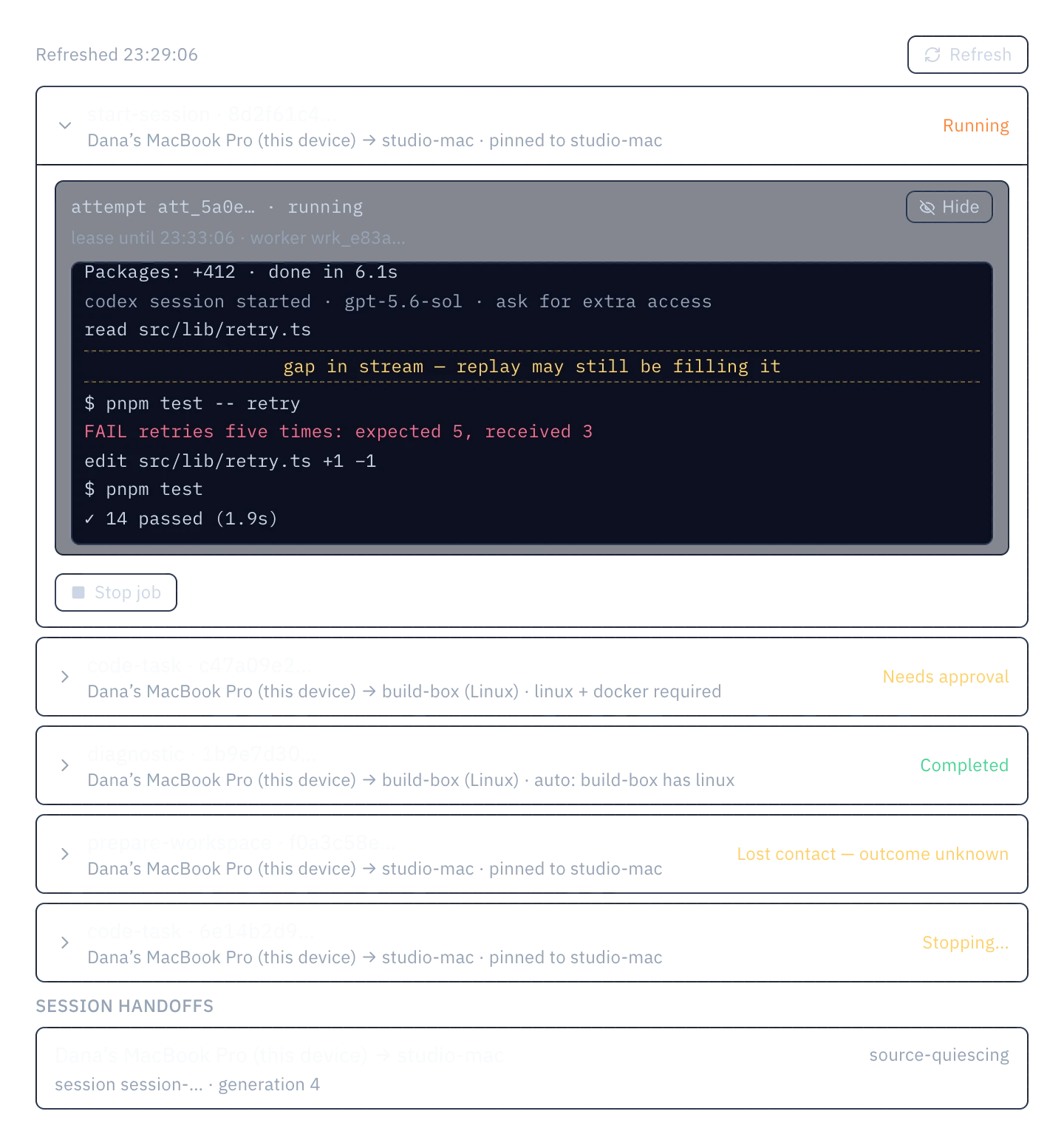
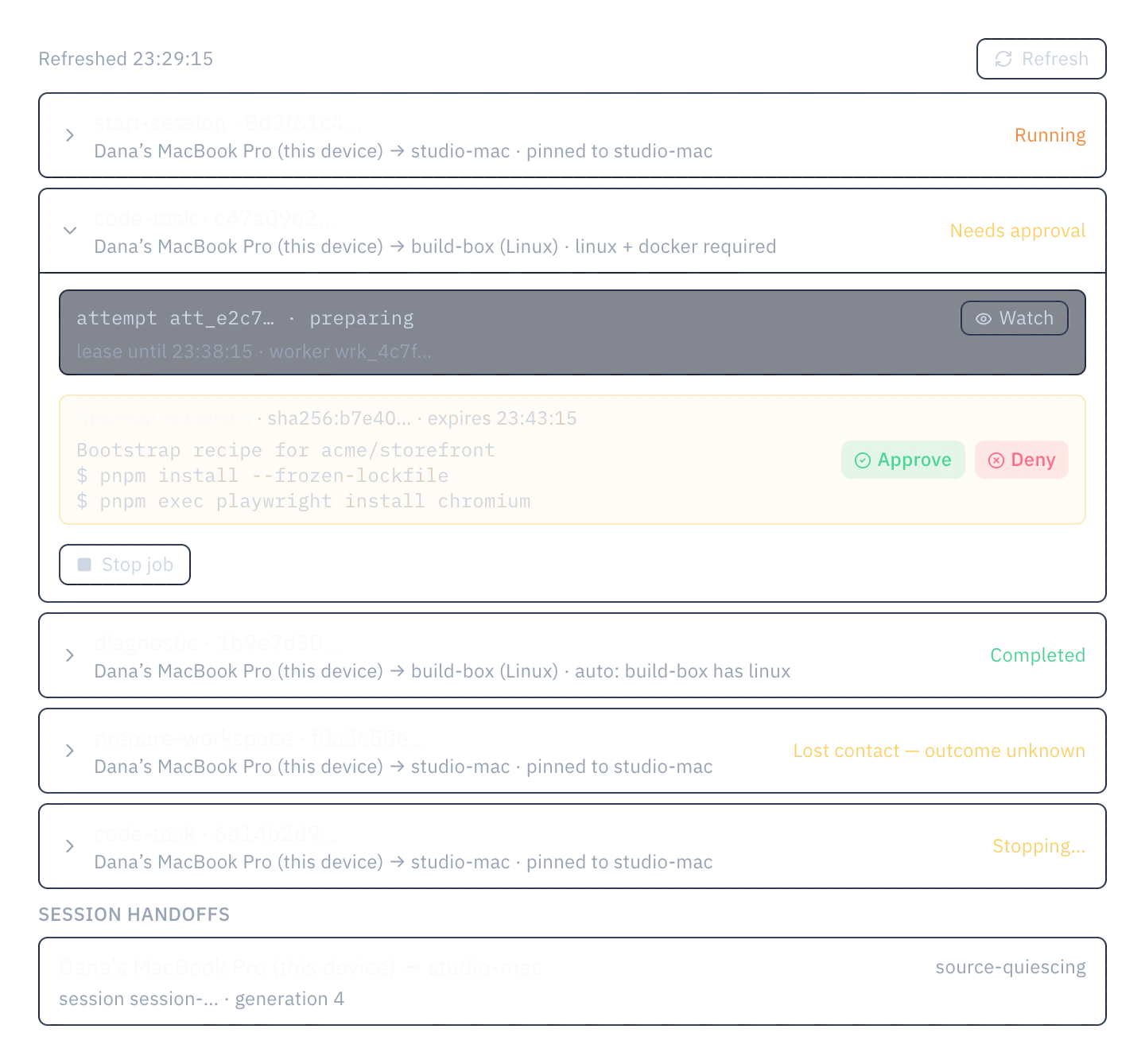
A machine you set up as a worker checks out the commit you chose and runs the job in its own worktree, with its own logins. You can watch the output from any of your devices.
- One owner at a time
- A handoff increments the ownership generation, and the backend rejects commands from the previous owner.
- Readiness checks
- Uncommitted changes or unpushed commits stop a handoff before it starts, and Mezair tells you how to fix them.
- Lost contact is reported
- If a worker stops responding, its job shows Lost contact. Mezair does not mark it as cancelled.
- Approvals
- A bootstrap recipe waits for approval from another of your devices. A worker can't approve its own request.
LAN-first routing
Commands and output use the host's LAN address when it answers. A live session switches to a better route only after the new route has authenticated and caught up, and Mesh never resends a command.
Beta through 30 November 2026. Your backend still admits and authorises every session, so this is not offline mode. A route labelled Direct is the host's address hint, not proof of a physical LAN path.
How routes work- The host's LAN addresstried first
- Other private routesnext
- HTTPSthen
- Managed ingresslast
Move a running session
Move session hands a running thread to another machine. The source machine pauses the thread and saves an encrypted checkpoint at the current commit. The target machine resumes from that checkpoint. No running process moves between machines.
Save and push your changes before moving a session.
How session handoff works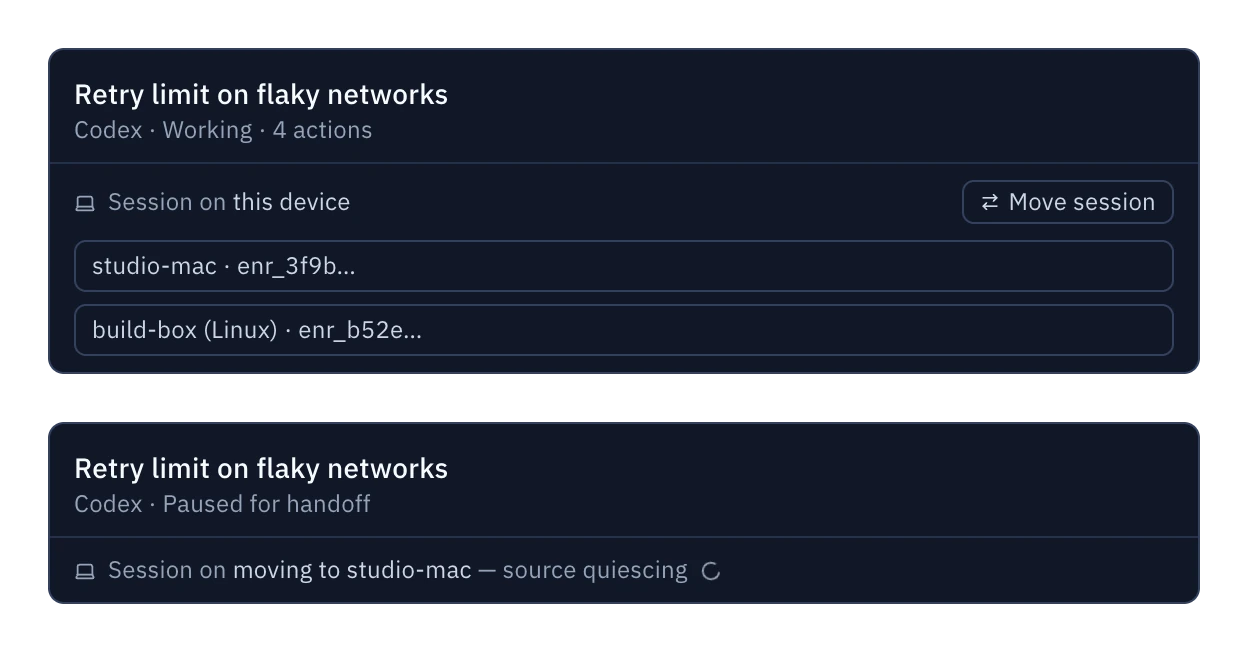
Choose a backend
The same app talks to any of these. Pick one in Settings, under Sync & Mesh.
Just this machine
No workspace data goes to a Sync backend. No Mezair account needed. This is where every workspace starts.
Free
Mezair-hosted
We run the backend and keep it updated. Invite-only beta now; request access and redeem an invitation code. The Sync and Team plans are not on sale yet.
From £6 a month
Your Cloudflare account
Deploy the official backend with one command: mezair-cloud mesh apply.
Free, plus your Cloudflare bill
Any compatible server
Point Mezair at your own implementation. A conformance suite checks Sync today.
You run it
Temporary cloud environments
A workflow can ask for a temporary environment in a cloud account you connect. That provider bills you directly. How sandboxes work
- AWS Lambda MicroVM
An isolated workspace in the AWS account you connect.
Works today
- Cloudflare Sandbox
A sandbox provisioner you deploy to your Cloudflare account.
Works today
- Vercel Sandbox
Short-lived sandboxes in the Vercel account you connect.
Works today
- Mezair Cloud Agents
Machines we run for you, billed by use.
Later
Sharing, export and deletion
Share links
The recipient's browser decrypts them. Revoke a link to remove the hosted copy.
Export
An encrypted backup of your synced data. Keep your recovery key to restore it.
Delete your account
Deletes the account's data from the backend. The account page shows the deletion's progress until it finishes.
Try the hosted beta
The beta is invite-only. You can redeem your invitation code without a payment method, and paid plans aren't on sale yet. You can also run the backend yourself.